Build smarter AI teams
OpenBee turns the agent CLI you already use into a team of always-on workers. Message Bee, and it hands the job to the right worker and brings the result back to the same chat.
npm install -g @theopenbee/cli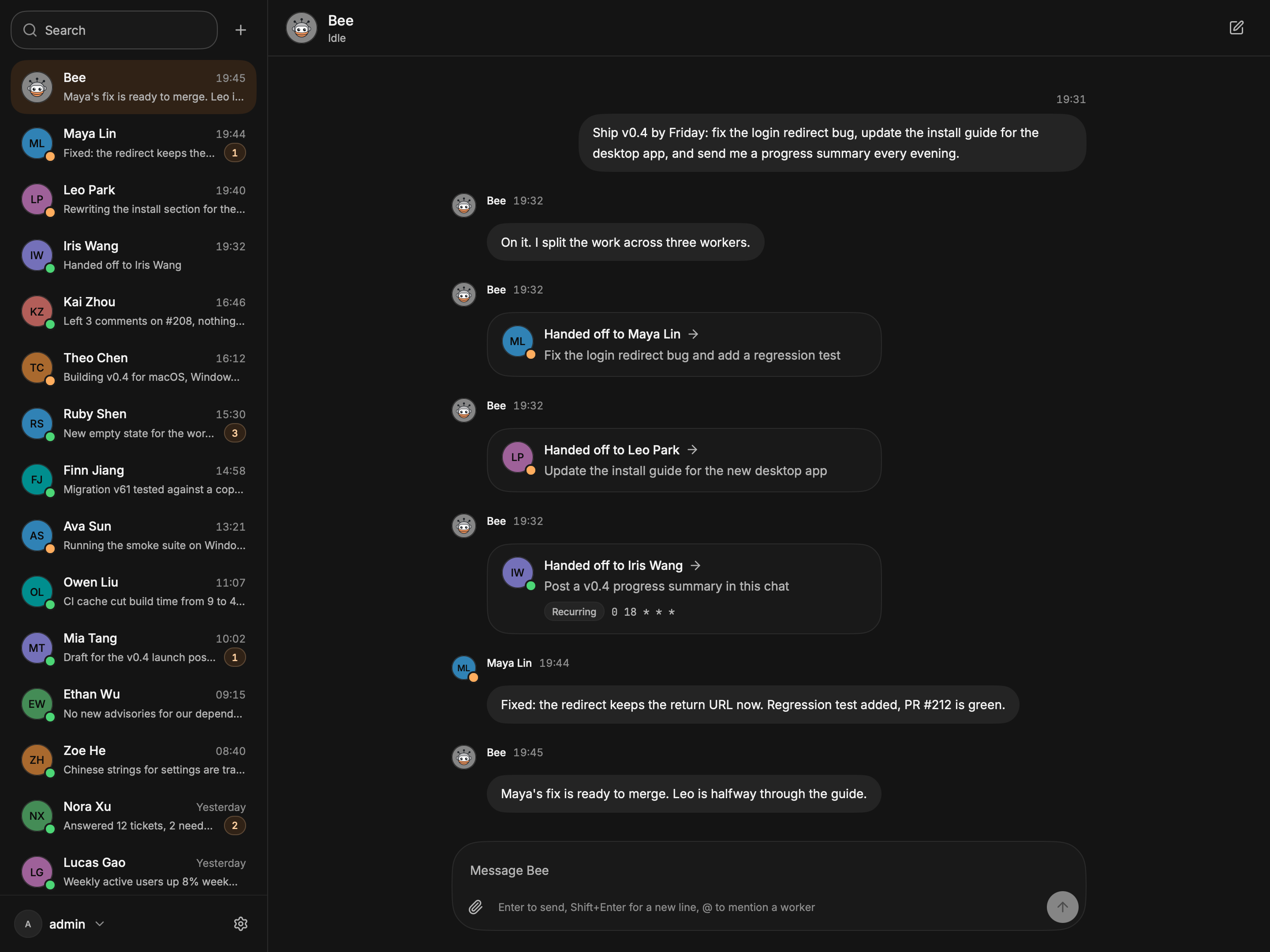
Works with your agent CLI and chat apps
OpenBee drives Claude Code, Codex or pi, and reaches you in the apps your team already uses.
- Claude Code
- Codex
- pi
- Lark
- DingTalk
- WeCom
- Telegram
- Discord
- Linear
A team that works where you already are
Each worker is an agent CLI with its own job, folder and rules. Bee keeps them busy.
Delegate by chatting
Say what you need. A worker does it on your machine and replies in the same chat.
Run several agents at once
Each worker has its own engine, working folder and rules, so jobs run side by side.
Schedule work
Run a task now, after a delay, or on a cron schedule. Results come back to the chat that asked.
Reach it from anywhere
Use the desktop app, the web console, or Lark, DingTalk, WeCom, WeChat, Telegram, Discord and Linear.
Self-hosted
It runs on your computer or server, and your data stays in ~/.openbee.
Plugins without restarts
Install, configure and update engines and chat channels while OpenBee keeps running.
How a task moves through your team
You talk to one coordinator. Bee finds the right worker and reports back.
You message Bee
Write to Bee from the desktop app, the browser or a chat app, in plain words.
Bee picks the worker
Bee hands the job to the worker whose engine, folder and rules fit, or creates a new one.
The worker reports back
The worker runs the job on your machine with your agent CLI. The result lands in the same chat.
Fix the login redirect bug and add a regression test.

On it. Maya owns the API, so she has it.
Fixed: the redirect keeps the return URL now. Regression test added, PR #212 is green.
Get started
Pick the desktop app for your own computer, or the server for an always-on machine. Either way, you need Claude Code, Codex or pi installed and signed in.
The server is built in, so this is all you install. Open the app, create the admin account, then install the engine for your CLI under Settings → Plugins → Marketplace.
Or use a package manager
Builds are not code signed yet, so the system asks you to approve the app once. First launch
Then talk to Bee
Bee creates the worker. Hand it a task the same way.
Create a worker named Maya for backend fixes, working in ~/code/api.
Questions and answers
Still stuck? Open an issue and we will help.
No. OpenBee drives the agent CLI you already use (Claude Code, Codex or pi) with your own sign-in. It ships no model of its own.
Put your agent CLI to work
Install OpenBee, sign in to your CLI, and give Bee its first task.
Free and open source under AGPL-3.0